Free Fire Advance Server Activation Code: How to Get, Register, and Use It
What Is the Free Fire Advance Server Activation Code?
The Free Fire Advance Server activation code is a unique key that gives selected players permission to enter Garena’s special test server for a short period. It is required on top of installing the Advance Server APK, so simply downloading the file is not enough to play there. Think of it as an access ticket that Garena uses to control who can try new features before they reach the main version of the game.
The Free Fire Advance Server activation code is essential for players who want early access to upcoming OB updates, as it works as Garena’s official permission key for the test server.
Each code is generated for a single Free Fire account and is meant for one user only. After it has been used to activate the Advance Server, it cannot be shared with others or reused on different accounts. The code is also linked to a specific OB update (for example, OB52), so once that testing window ends, the same code will no longer work for future servers.
Basic Requirements Before You Apply
Before you spend time registering, make sure you match the basic rules Garena expects from testers. You need a proper Free Fire account that is connected to Facebook or Google so that your identity and progress can be verified during the registration process; guest accounts usually do not qualify.
You must also own an Android phone or tablet that can run the game and have a valid email address. The Advance Server is released only as an APK for Android, and email is often used for notifications or confirmations. On top of that, remember the slots are limited: even if you follow all the steps correctly, there is no guarantee you will receive a code, because Garena only invites a fixed number of players for each test round.
Meeting these requirements improves your chances of receiving a Free Fire Advance Server activation code, although Garena still limits access to a small number of testers.
Step-by-Step: How to Register for an Activation Code
Completing the registration correctly is the only official way to qualify for a Free Fire Advance Server activation code. When Garena announces a new Advance Server (like OB52), follow these steps during the open registration period.
1. Visit the official Advance Server website
Open your browser and go to the official link: ff-advance.ff.garena.com. If the site does not load or shows an error, it usually means the current test phase has already ended or has not started yet.
2. Log in with your Free Fire account
Click on the login option and sign in using the same Facebook or Google account that you use inside Free Fire. This ensures the activation code, if you get one, it is attached to the correct profile.
3. Fill out the registration form
After logging in, you will see a simple form asking for basic details such as your name, email address, and sometimes your phone number or player ID. Carefully complete all fields, check that the email is correct, and then submit the form with the “Join Now” or similar button.
4. Wait for Garena’s selection
Once you submit, your application joins a pool of other players. Garena reviews these and chooses only a portion of them to receive activation codes for that OB server. You might not get an answer immediately, so keep an eye on the website and your inbox rather than expecting instant approval.
Where You Can See Your Activation Code
If your account is chosen, there are usually two places where you can find your code. The first place is the Advance Server website itself. Once approved, your Free Fire Advance Server activation code will appear on the official Advance Server website or be sent to your registered email. Log back in with the same account you used to register, and look for a special section on the page that displays your activation code if one has been assigned to you.
Sometimes Garena also shares details via email, using the address you entered on the registration form. Wherever you find it, copy the code carefully and save it somewhere safe, such as a note app or screenshot, so you have it ready when you install the APK. Because the code is linked to your account, you should treat it like a password and avoid sending it to friends or strangers.
How to Use the Activation Code in the APK
Without entering a valid Free Fire Advance Server activation code, the Advance Server APK will not allow access to the test environment. Once you have your code, you need to activate it inside the Advance Server app to start playing.
1. Download the Advance Server APK
Return to the official Advance Server site while the test is active and download the APK from the same page where you registered. Make sure your device has enough storage space for the file and installation.
2. Install the APK on your Android device
Because the file is not coming from the Google Play Store, Android will treat it as an app from an unknown source. Go into your device’s settings and allow installation from unknown sources, then open your Downloads folder and install the APK by tapping on it and following the on-screen instructions.
3. Open the Advance Server app
After installation, launch the new Advance Server app. Depending on the current OB version, you may be asked to sign in as a guest or with your linked social account before you can enter your code. Follow whatever login flow appears on the screen.
4. Enter your activation code
When the app asks for an activation code, type or paste the code exactly as it appears on the official site. Check carefully for any missing characters or spaces and then confirm. If the code is valid and the server is currently open, the app will let you into the Advance Server lobby so you can test the upcoming features.
Why You Might Not Receive an Activation Code
Not getting a Free Fire Advance Server activation code is common due to high demand and limited tester slots for each OB update. Not receiving a code does not always mean you did something wrong. The most common reason is simply that there are fewer available codes than the number of players who apply. Garena only needs a limited number of testers for each OB phase, so many registrations are never approved.
Your chances can also be affected by the state of your account and the information you provided. Very new or inactive accounts might be less likely to be chosen, and mistakes in your email or account details can cause problems when Garena tries to contact you. If you submitted the form late, after most codes were already distributed, you may have missed the main selection window and will need to wait for the next Advance Server announcement.
Common Activation Code Problems (With Fixes)
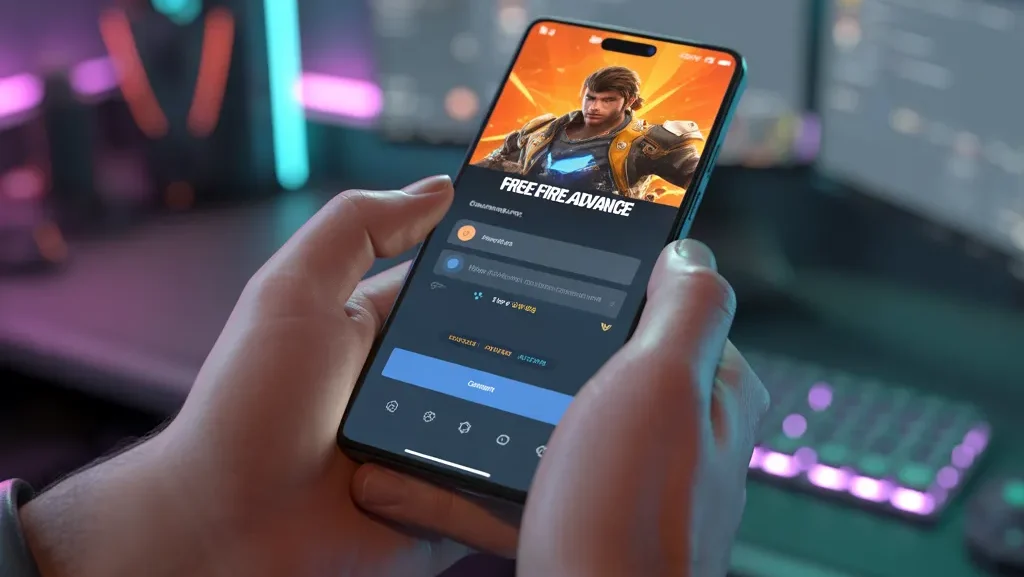
Most issues related to a Free Fire Advance Server activation code are caused by expired servers, incorrect login accounts, or previously used codes. Here are typical problems players face with activation codes and how you can handle them.
- “Code invalid” error
This message often appears when there is a typo in the code, when you are logged into the wrong Free Fire account, or when the code has already been used before. To fix it, copy the code again directly from the official site, ensure you are on the correct account, and try once more. - No code after you registered
If you signed up but cannot see a code on the website and did not receive any email, it likely means your account was not chosen this time. There is no official method to force a code to appear. You can simply wait for Garena to announce the next OB Advance Server and apply again when registration opens. - “Server access denied” or similar messages
These messages tend to show up when the Advance Server is very busy, undergoing maintenance, or completely closed because the test period has finished. Even if your code is correct, you will not be able to log in while the server is offline. The only solution is to try again later or wait for the next testing phase.
Safety Tips and Scams to Avoid
Because activation codes are rare, many fake websites and apps try to exploit players who are desperate to get access. Be careful of tools that claim to “generate” codes, any modded APKs that promise built-in activation, or people selling codes for money. These offers are almost always deceptive and can install malware, steal your login data, or get your account flagged.
There is no legitimate way to buy or generate a Free Fire Advance Server activation code, and only Garena can issue valid codes.
Garena’s rules are strict when it comes to cheating and the use of unofficial software. Accounts caught using hacks, modded clients, or suspicious tools can be permanently banned with no chance of recovery. To stay safe, only trust the official Advance Server website and Garena’s verified social media profiles for links, dates, and instructions about activation codes. If you miss out on a code this round, focus on keeping your main account active and come back for the next Advance Server cycle instead of risking your account on shortcuts.